 Sticky logo
 Search


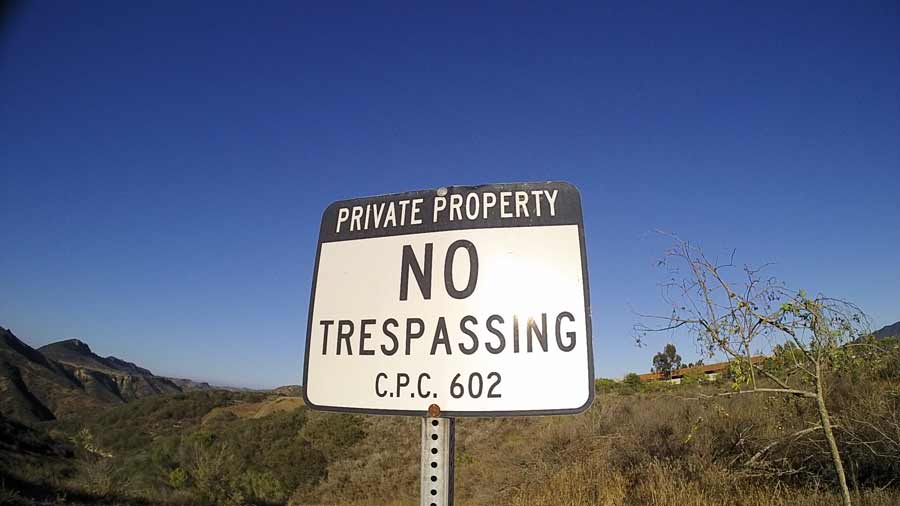 In this photo we see the the 16:9 aspect ratio of the PRISM offers a wide viewing angle.
Unpacking the box, you’ll first be asked to plug in to the ‘net and update the latest firmware. Once that is done, you’ll probably notice that the box does not include a simple 120 volt transformer for the somewhat ubiquitous 5 volt 1 amp battery charging duty. Use the one from your iPhone or your computer USB port; or buy a couple from the nearby convenience store.
The next step is helmet installation. The box includes various bits for different helmets and even a stick-on plate if your helmet doesn’t permit the clamp on mount. Once set up, the next step will be to pair the unit to other intercoms that you’ll be talking with.
There are three input devices on the unit; two buttons and a jog wheel. One button is uniquely assigned to allow ambient noise, such as when you’re at a gas station and don’t want to remove your helmet. The second button and the jog wheel are used in various combinations for talking, pairing, answering your cell phone, playing music, and turning on and off the recording function of the camera; as well as setting the camera functions.
In our experience, unless you change things constantly, you’ll need to keep the instructions handy as the variety of combinations and alternate control functions are substantial, but easily absorbed. We quickly learned that if we pressed the jog wheel (about a second) it would try to find another intercom, but if we quickly “tapped” the wheel, as per the instructions, it would complete our expected task of turning the camera on and off. The device is smart enough to know that when your phone rings, that same tap will answer the phone so you can make your call through the intercom.
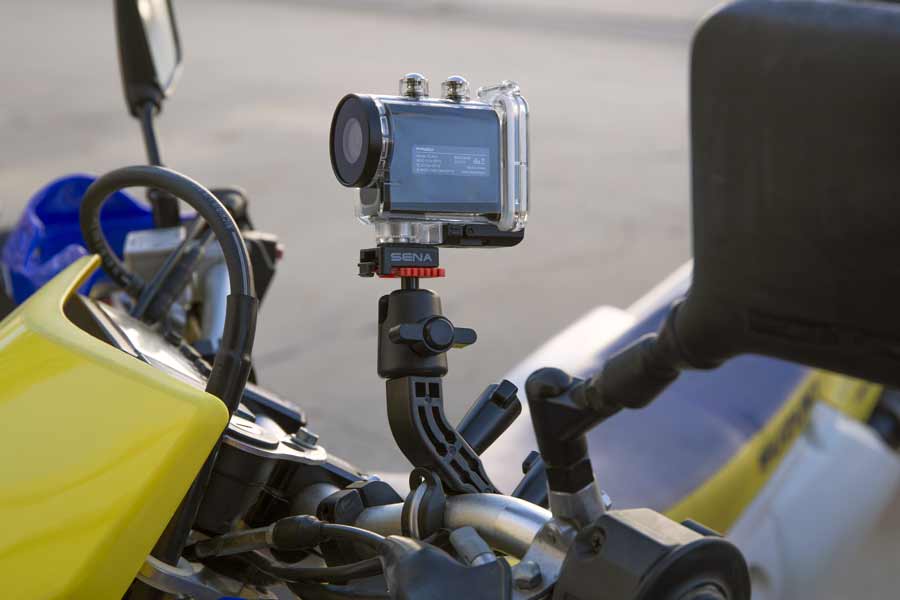 The included handlebar bracket and housing makes mounting the PRISM a breeze. For best results use the helmet mount to avoid engine vibration.
The Prism is similarly loaded with features. In addition to stunning high resolution 1080p video, the camera can shoot stills in different aspect ratios and resolutions; shoot burst sequences; and best of all, be operated with that intelligent jog wheel while recording real-time voice-overs.
We found that the best recordings where when the camera was mounted to our helmet and the internal microphone was shut off; otherwise there was too much vibration and camera movement to produce a smooth video and the voice over was competing with the sound of the engine.
The Prism includes plenty of other mounting options. Another unique feature of the Prism is its ability to record in two field of view modes; either 90 degrees or 137 degrees. The battery is rated for 2 hours of recording, but we found it to be somewhat less during our use. The storage is on Micro SD cards that will allow up to 8 hours on a single card in low res mode or 4 ¾ hours using a 32GB card in 1080p Hi-Def.
The 20S is priced at $299 while the Dual pack is $549. While intercoms can be had for less than half of this cost, the features and quality of this model make it a worthwhile investment in your smiles per dollar. When combined with the Prism action camera, at $249, the combination just simply leaves the competition in the dust! SENA.com
PROS |
CONS |
| ▲ Simple setup | ▼ Jog wheel controls all functions |
| ▲ Supports between intercoms | ▼ Bike mount vibrates excessively |
| ▲ Voice over video capabilities |
{gallery}ARTICLES/Gear/Sena/20S/gallery{/gallery}