 Sticky logo
 Search


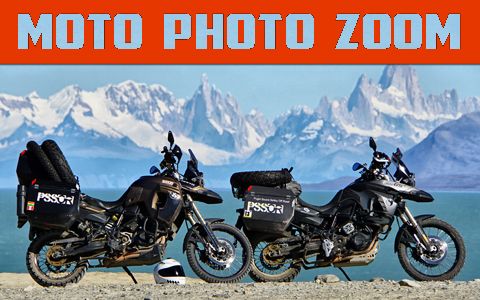
I often hear people say, “I wish my camera took photos like that.” As with motorcycling, the person behind the equipment is the most important factor. I've seen amazing photos taken with phone cameras, and horrible ones taken with high quality photo gear. Using the camera zoom can transform the impact of the photos you take. One of the best uses of camera zoom is to make the background larger or smaller to increase or decrease impact. If you’re looking to capture an entire landscape then the camera needs a wider frame (e.g. no zoom or 18mm, as shown); however, if you want the background to loom larger but keep the subject (you or your bike) the same size, the camera needs a narrower frame (e.g. maximum optical zoom or 200mm, as shown).
Tech Note: Many digital cameras and all phone cameras use digital zoom (vs. optical zoom). Digital zoom is a process whereby the camera crops the photo to make the zoom larger but also decreases the overall quality of the photo. When buying a camera, you’re only interested in its optical zoom capabilities.
1. 18MM
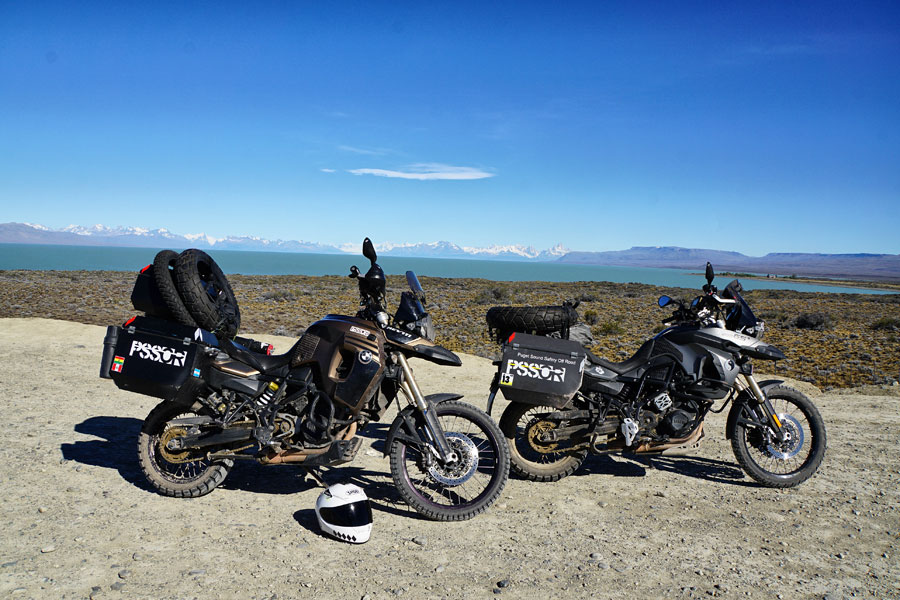 Taken with an 18mm zoom, this photo maximizes the amount of background included, but the motorcycles curve in slightly and the background looks very distant.
2. 50MM
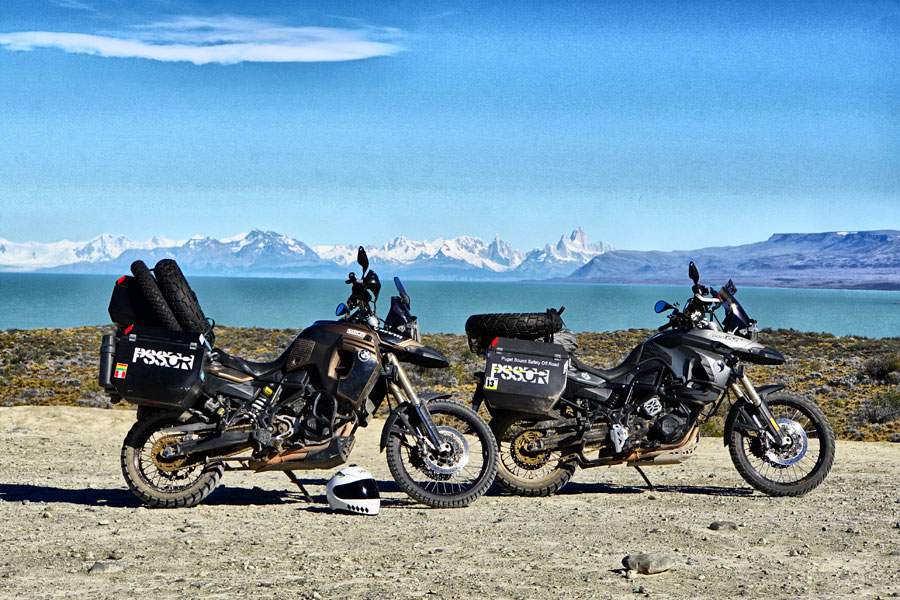 The photo is close to being optically correct (as you see things with the naked eye); the background is still broad but has slightly “grown in size.”
3. 100MM
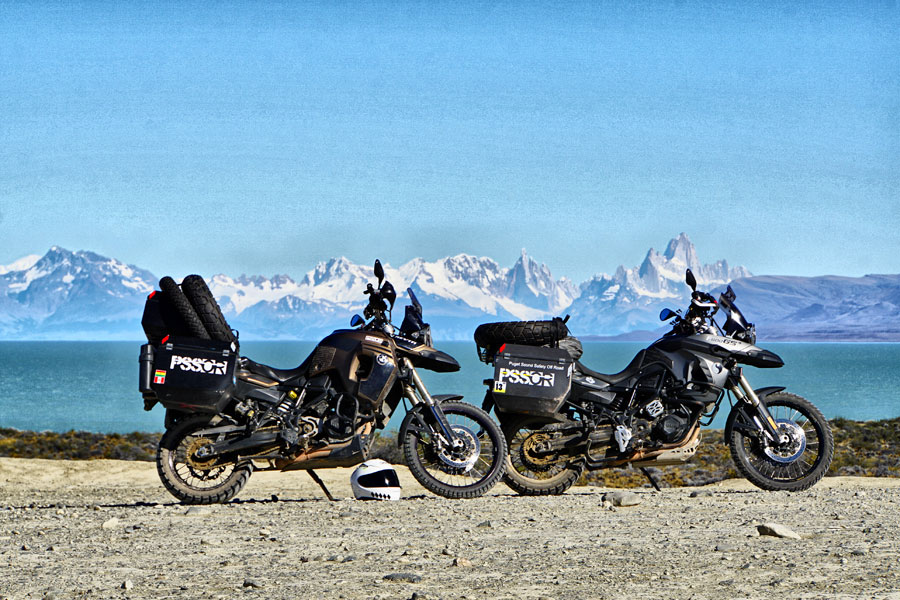 The background has “grown” significantly and the ground behind the motorcycles has turned into a thin line, bringing more attention to the motorcycles and the background.
4. 200MM
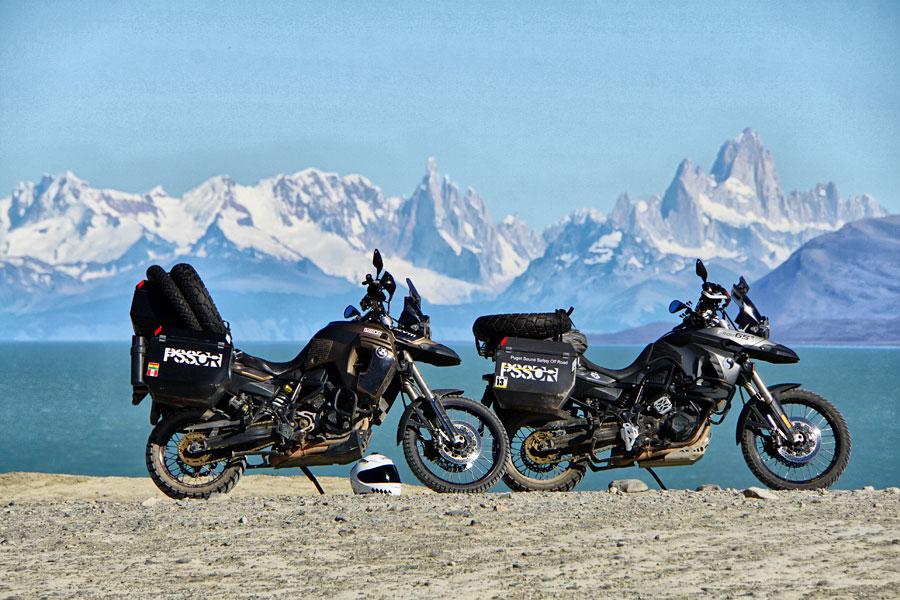 This high-power zoom has eliminated all but the motorcycles and the mountains in the background, bringing full attention to the size of the mountains.
Learning Activity
Take your bike and place it in front of a background at least 50 feet away. Then, using no zoom, fill half the camera frame with your bike. Take a picture. Next, use your camera’s maximum zoom and walk back until your bike appears to be the same size in the viewfinder as the first example. Take another picture. Now, compare the two photos, paying close attention to the background.
{gallery}ARTICLES/TechTips/Zoom_Improve_Photos/Gallery{/gallery}